What a Canadian IMEI Check Can—and Cannot—Prove
Matthew Leo · Published August 18, 2026 · Gadgets
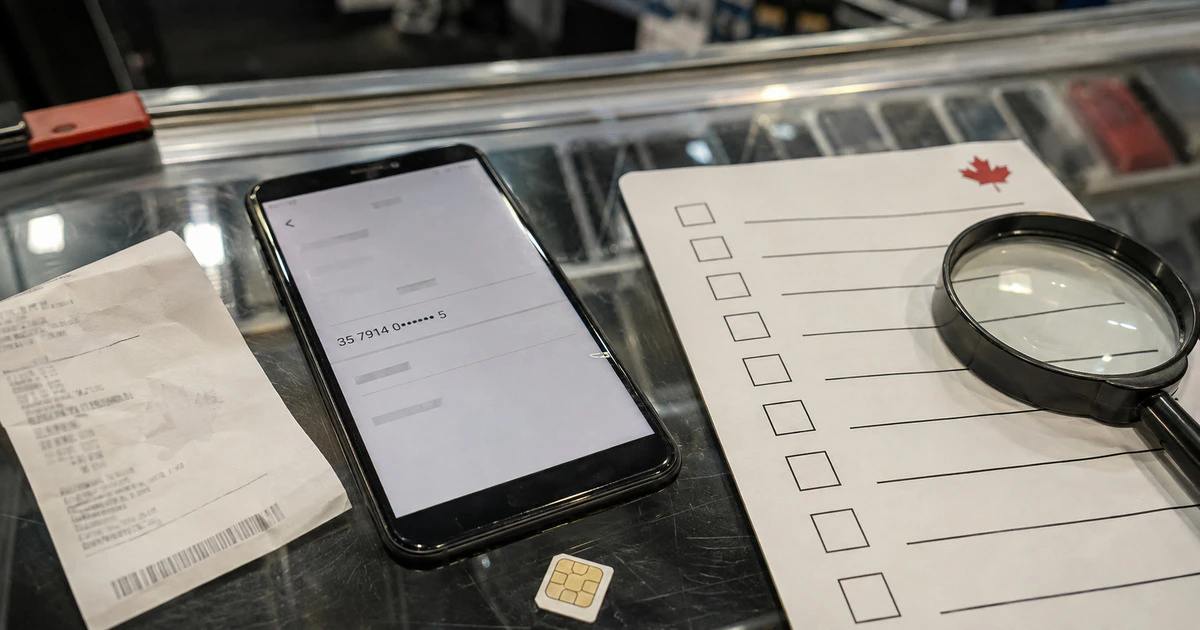
A clean IMEI result does not prove that a used phone is safe to buy. It only means the identifier was not listed as lost or stolen in the Canadian database at the moment you checked.
That check is essential, but it cannot reveal every financing dispute, activation lock, counterfeit part, weak battery or foreign blacklist. Canadian buyers should treat it as one line in a pre-payment inspection, not a certificate of innocence.
What the IMEI identifies
The International Mobile Equipment Identity is a number assigned to cellular hardware. Dial *#06# on many phones or open the device’s About screen to display it. Dual-SIM phones can have more than one IMEI, so record and check each one.
Compare the number shown in software with the box, receipt or SIM tray where applicable. A mismatch may have an innocent explanation, such as a replacement device, but the seller should be able to document it.
Do not post the complete number in a public marketplace listing. Share it directly with a serious buyer or, better, perform the check together.
What Canada’s blacklist tells you
DeviceCheck.ca, administered by the Canadian Telecommunications Association under an arrangement with the GSMA, lets consumers check whether a device has been reported lost or stolen to participating Canadian providers. A blacklisted phone will not work on participating Canadian networks.
The service’s own conditions are unusually important. A report can take up to 48 hours to appear. A carrier may separately block a phone over billing issues without placing it on the national lost-and-stolen list. A clean result therefore does not guarantee future service.
| A clean check supports | It does not prove |
|---|---|
| Not currently listed as lost or stolen in Canada | The phone was never stolen elsewhere |
| Likely eligible on participating networks today | No carrier-specific billing block exists |
| Identifier can be compared with the device | Every internal part is original |
| Useful timestamped purchase evidence | The seller owns the account attached to it |
Run the check immediately before payment and save the result with the date and time. A screenshot does not stop a later report, but it documents what the database showed when the transaction occurred.
Activation locks are a separate test
An iPhone can have a clean IMEI and still be unusable because it remains linked to the seller’s Apple Account. Apple says not to take ownership if the phone shows “iPhone Locked to Owner” or requests the previous owner’s credentials during setup.
The seller should erase the phone in front of you, and you should begin setup far enough to confirm that it reaches the Hello process without requesting the old account. Apple’s Activation Lock guidance is explicit: do not buy until the previous owner removes the device from the account.
Android’s Factory Reset Protection serves a similar purpose. Google explains that a protected reset may require the previous screen lock or Google Account. Ask the seller to remove their Google account through Settings and perform the manufacturer’s normal factory reset before payment.
Do not pay for a phone on the promise that the account will be removed later. Legitimate locks are intentionally difficult to bypass, and services advertising a shortcut are often scams.
Check financing and seller evidence
Ask for the original receipt, carrier name and confirmation that the device balance is paid. A receipt should match the model, storage, colour and serial or IMEI where recorded.
A seller’s verbal promise is weaker than a carrier account screen or final bill, but do not ask them to expose unrelated account information. If the carrier will not verify status for privacy reasons, price that uncertainty into the decision or buy from a retailer offering a written return period.
Marketplace payment methods with no recourse increase the risk. Preserve the listing, messages, seller profile and a signed receipt containing both parties’ names, the device identifiers, price and date.
Inspect the hardware before handing over money
- Insert your SIM or activate an eSIM and place a call.
- Test Wi-Fi, Bluetooth, cameras, microphones, speakers and charging.
- Check battery health where the operating system exposes it.
- Inspect the frame for separation, swelling or water damage.
- Confirm storage capacity, model number and operating-system support.
- Look for repair-history or parts warnings in system settings.
Apple’s current software can flag some replaced parts, and newer devices may protect certain used components with Activation Lock. A warning does not automatically make a phone worthless, but it changes what the seller should disclose and what future repair may cost.
Confirm Canadian network compatibility
A phone can be unlocked yet miss Canadian frequency bands, emergency features or carrier support. Imported models may have a similar retail name while using different radios. Compare the exact model number, not only “iPhone” or “Galaxy,” with the carrier’s compatibility information.
Ask whether Wi-Fi calling, voice over LTE and 5G are supported on that model. These features can depend on carrier certification even when basic data works. Mapletechie’s Canadian imported-phone checklist covers those differences in more detail.
Use a before-payment order
- Meet safely and identify the exact model and all IMEIs.
- Check each IMEI on DeviceCheck.ca.
- Review the receipt and financing status.
- Have the seller remove Apple or Google accounts.
- Factory-reset and begin activation on your own connection.
- Test cellular service and essential hardware.
- Save a signed receipt and the listing.
- Pay only after the phone passes every step.
If the seller refuses a reset, rushes the meeting or says the account password will arrive later, leave. A bargain that cannot survive a ten-minute verification is not a bargain; it is someone else’s problem transferring to your pocket.
Tags: used phones, IMEI, DeviceCheck, iPhone, Android