How to Choose One USB-C Charger for All Your Devices
Matthew Leo · Published August 14, 2026 · Gadgets
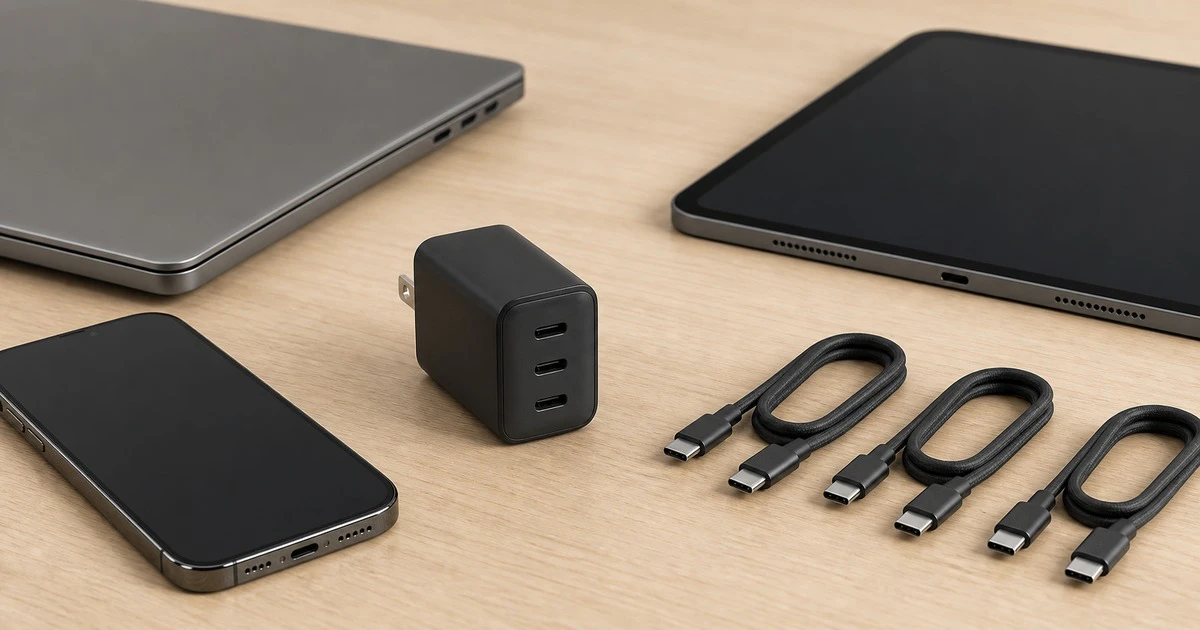
One good USB-C charger can replace a bag of adapters, but the number printed on the box is only the first test.
A safe charger for a phone, tablet and laptop needs the right Canadian certification, enough total power, the correct USB Power Delivery profiles and cables that can carry the load. A cheap unit with “100W” in its listing may satisfy none of those requirements.
Here is how to choose a multi-port charger without buying by wattage alone.
Start with the Canadian safety mark
Health Canada says not to buy an electrical product that plugs into an outlet unless it carries a Canadian certification mark such as CSA, cUL or cETL. The mark must appear on the product, not only on its packaging or online listing.
This is different from a CE mark, an FCC logo or the letters “RoHS.” Those may relate to other markets or requirements, but they are not substitutes for Canadian electrical certification.
If a marketplace photo does not show the label side of the charger, ask the seller for a clear image and verify the certification body. Health Canada warns that uncertified chargers can create electric-shock, burn and fire hazards. A charger is connected to household voltage; it is not the place to accept an anonymous imitation.
USB-C is the connector, not the charging system
A USB-C port can support many combinations of data and power. Look for USB Power Delivery, normally written USB PD. For modern Android phones, also look for PPS, or Programmable Power Supply.
USB PD lets the charger and device negotiate a supported voltage and current. A 100W charger does not force 100 watts into a phone. The phone asks for a compatible level and takes what it supports. A higher maximum is therefore safe when the charger, device and cable follow the standard.
PPS lets the voltage adjust in smaller steps. Many current Pixel and Samsung phones use it for their best wired charging behaviour. A charger can advertise plenty of total wattage yet charge one of those phones more slowly if PPS is missing.
Size the charger for the largest device
Check the wattage printed on the laptop’s original adapter or the manufacturer’s support page. A thin notebook may be comfortable with 45W or 65W. A larger performance laptop can need 100W, 140W or a proprietary adapter and may not reach full performance from an ordinary USB-C charger.
Using a lower-power USB PD adapter does not automatically damage a compatible laptop. It can charge slowly, lose battery while doing heavy work or display a low-power warning. For one travel charger, match at least the laptop’s normal requirement.
Then add the devices that will charge at the same time. A practical setup for a 65W laptop, 25W phone and small accessory is a charger in the 100W class. It leaves room for conversion loss and avoids running every port at its limit.
Read the multi-port power table
The large number on the front usually describes the charger’s total maximum or its fastest single port. It does not mean every port supplies that amount at once.
A three-port 100W model might offer:
100W from the first port when used alone;
65W plus 30W when two ports are active;
45W plus 30W plus 20W when all three are active.
That is only an example. The real split varies by model. Find its printed output table or manual and make sure the laptop still receives enough when the phone is plugged in.
Some multi-port chargers briefly stop and restart charging when a second device connects because they renegotiate the power split. That can be normal. Repeated cycling without a new connection is not; try known-good cables and confirm that every device follows USB PD.
The cable has its own power limit
For charging above 60W, use a USB-C cable clearly rated for the required power. Higher-current cables include an electronic marker that tells connected equipment what the cable supports. Modern certified cables are often labelled 60W or 240W.
A cable sold only as “fast charging” says little. Look for a stated wattage, a known manufacturer, intact connectors and strain relief. Replace a cable that is frayed, crushed, loose or unusually hot.
Charging power and data speed are separate. A 240W cable can carry only basic USB data, while a fast USB4 cable can cost more than needed for charging. Buy the data capability only when the cable will also connect a display, dock or fast drive.
GaN helps with size, not trust
Gallium nitride, or GaN, can make a high-power adapter smaller and more efficient. It does not prove that the finished product is safe, certified or honest about its output. Treat GaN as a design feature after the Canadian safety mark and power table pass inspection.
A compact charger still needs ventilation. Do not bury it under bedding, use it with damaged cables or keep charging if the case becomes painfully hot, smells unusual or makes crackling sounds. Unplug by gripping the adapter body rather than pulling the cable.
A sensible one-charger checklist
Find a real CSA, cUL or cETL mark on the charger.
Confirm USB PD and, for compatible phones, PPS.
Match the fastest port to the laptop’s required wattage.
Check the power split with every planned port in use.
Buy wattage-rated USB-C cables from a traceable seller.
Test the complete setup at home before depending on it while travelling.
For many households, a certified 100W three-port PD charger with PPS, one 240W laptop cable and two 60W phone-accessory cables is a flexible starting point. It is not universal: gaming laptops and the fastest proprietary phone systems may still work best with their original adapters.
Mapletechie’s Gadgets coverage looks for the specification that changes real use. On a charger, that specification is not the biggest wattage in the advertisement. It is the certified output the right port and cable can deliver when everything is connected.