Cloud Link or Email Attachment: Share Files Safely
Matthew Leo · Published August 6, 2026 · Software & Apps
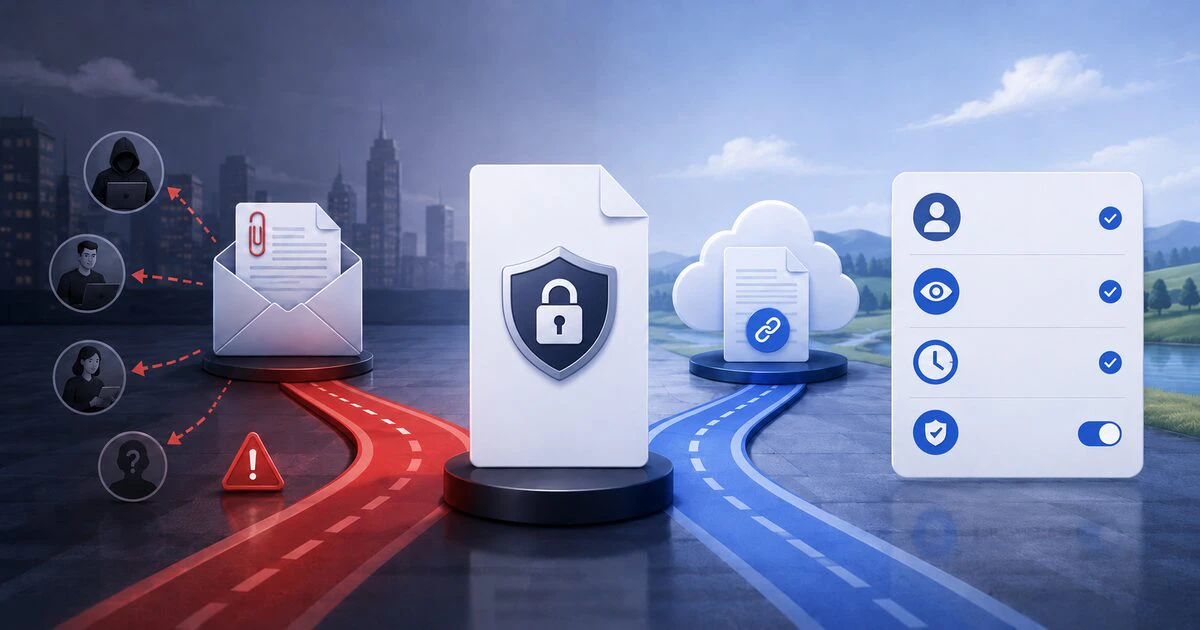
An email attachment becomes another copy the moment it is sent; a cloud link can still be changed, restricted or revoked.
That makes links better for collaboration and many sensitive documents, but only when the permission is configured properly. A link available to anyone who receives it can spread almost as easily as an attachment—and may remain active far longer.
The safer choice depends on who needs the file, whether they must edit it and what should happen after the work is finished.
The central difference is control after sending
An attachment is placed inside the message. The recipient can download it, forward it and preserve it independently. Recalling the email rarely removes copies that have already arrived.
A cloud link points to a file controlled by the owner’s service. The owner may be able to change permissions, replace the document, review access or stop sharing without sending another copy.
| Question | Email attachment | Cloud link |
|---|---|---|
| Can access be revoked? | Usually no | Often yes |
| Can everyone use one current version? | No; copies diverge | Yes, when sharing one file |
| Can editing be controlled? | Not after download | Usually view or edit permissions |
| Does the recipient need an account? | Not beyond email access | Depends on the link settings |
| Can the file expire? | No automatic removal from inboxes | Some services and plans support expiry |
Use named-recipient links for sensitive files
The safest ordinary cloud-sharing option is usually a link restricted to specifically invited people. The service asks the recipient to sign in or complete another verification step before opening the file.
This reduces harm when the message is forwarded accidentally. The new recipient may receive the link but not the permission required to use it.
It is still important to verify the address. A perfectly configured private link sent to the wrong person grants the wrong person access.
Send view-only access unless the recipient genuinely needs to alter the file. Editing permission can allow deletion, replacement or onward sharing depending on the service and account configuration.
“Anyone with the link” is a public-secret model
Google explains that anyone with a generally accessible Drive link can open the file. Apple provides the same warning for iCloud Drive: a person receiving an “anyone with the link” URL can share it with others.
The link is difficult to guess, but possession becomes the credential. It can be copied into a group chat, forwarded outside the organization, stored in browser history or captured in a screenshot.
Public-link sharing can be appropriate for a community handout, press kit or large file intentionally available to broad audiences. It is a poor default for tax records, employee documents, contracts, identification or private family material.
OneDrive offers useful controls—but they vary
OneDrive allows owners to manage access, remove links and choose sharing permissions. Some Microsoft 365 subscriptions also support passwords and expiration dates for sharing links.
Those controls do different jobs. An expiry limits how long the link works. A password limits who can use it, provided the password is not sent through the same compromised channel.
Microsoft also supports options such as blocking downloads in certain OneDrive and SharePoint configurations. Blocking downloads can discourage casual copying but cannot stop someone from photographing a screen or manually reproducing information.
Google Drive permissions need a second look
Google Drive lets an owner share with named people or enable general link access. Roles can include viewer, commenter and editor, depending on the file and account.
Review who can change sharing. Google warns that owners and people with edit access may be able to alter permissions and share the file.
Work and school administrators can restrict external sharing or provide additional controls. A missing option may therefore reflect organizational policy rather than a broken browser.
After collaboration ends, open Manage access and remove people or disable the link. Moving the email into an archive does not close the Drive permission.
iCloud links also support invited people
iCloud Drive allows sharing with invited people and selecting whether they can view or make changes. Owners can later adjust access or stop sharing.
Check whether participants are allowed to add other people. A private file can gradually acquire a larger audience when every collaborator can invite another collaborator.
Apple users should also distinguish file collaboration from sending a static copy through Mail or Messages. The share sheet can offer both actions, but only collaboration preserves the owner’s continuing permission controls.
An attachment can still be the sensible choice
Use an attachment when the file is low-risk, final and intended to become the recipient’s independent copy. A receipt, public brochure or small approved image may not need a continuing cloud relationship.
An attachment may also work better for a recipient with unreliable Internet access or an organization that blocks unfamiliar cloud services.
Before attaching a document, inspect its metadata, comments and tracked changes. A final-looking office file can contain earlier edits, author names or hidden material.
Do not password-protect a file and place the password in the same email. Send the password through a separate, verified channel.
Use this practical decision guide
Choose an email attachment when:
- The file is final and not sensitive.
- The recipient should keep an independent copy.
- No collaboration or revocation is required.
- The file is small enough for both email systems.
Choose a named-recipient cloud link when:
- The file contains sensitive information.
- Several people need one current version.
- Access should be removed later.
- The owner needs view-only or editing control.
- The attachment would exceed email limits.
Choose an anyone-with-the-link URL when:
- The material is genuinely intended for broad distribution.
- Forwarding would cause little or no harm.
- The link will be reviewed and removed when obsolete.
Review access after the work ends
Cloud permissions often survive the project that created them. Once a month—or at the end of a sensitive project—review shared files and remove obsolete links and collaborators.
For personal information handled by a Canadian organization, sharing should reflect the purpose for which the information was collected. Convenience does not justify leaving customer or employee records broadly accessible.
A cloud link is not automatically secure, and an attachment is not automatically reckless. The meaningful question is what control remains after the message leaves.
If the file should stop being available next week, use a method that can actually make that happen.
Tags: cloud storage, email, file sharing, privacy, collaboration