Find an Unknown Bluetooth Tracker Moving With You
Matthew Mbaka · September 15, 2026 · Guides
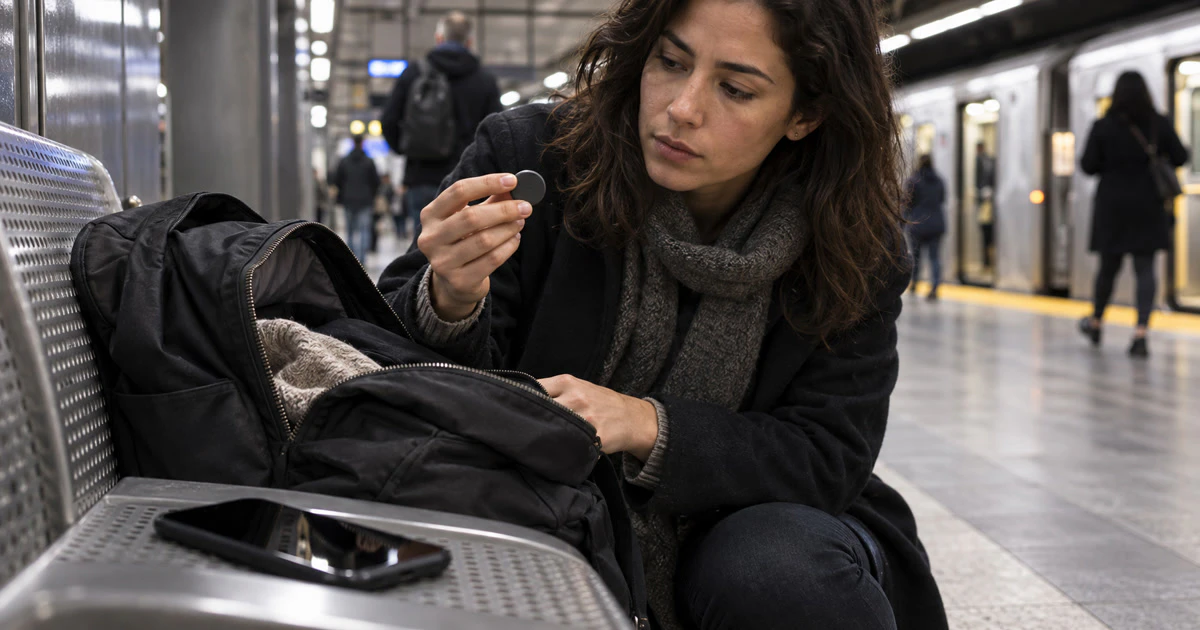
An alert saying a Bluetooth tracker is moving with you does not prove that someone planted it. It could belong to borrowed luggage, a family member or a person sitting nearby. It is still worth checking before you swipe the warning away.
Both iPhone and Android can warn about compatible trackers that are separated from their owner and appear to travel with you over time. The safest response is to preserve what your phone found, move somewhere safe if you are worried, and then look for the device.
Start with your safety, not the settings
If the alert appears during a threatening situation, go to a busy public place or a police station. Tell someone you trust what is happening. Call 911 if there is an immediate danger.
Do not go to the location of a suspected owner and do not confront someone based only on the map. The dots show where your phone detected the tracker near you. They do not show when its owner checked the location.
Before disabling anything, save what may matter later:
- Take screenshots of the alert, the map and the times shown.
- Write down where you were and which bag, coat or vehicle was with you.
- If the phone provides a serial number or partial owner information, capture that too.
- If you contact police, keep the device and screenshots available unless doing so would put you at risk.
Check the alert on an iPhone
Apple's current unwanted-tracking instructions cover AirTag, supported AirPods, Find My accessories and compatible Bluetooth trackers.
Tap the alert, choose Continue and use Play Sound if it is available. A supported iPhone may also offer Find Nearby for an AirTag or another compatible item. Search the things that travelled with you, including small outer pockets, coat linings, a child's bag, bicycle equipment and the areas around or under vehicle seats.
For tracking notifications to work properly, Apple says Bluetooth and Location Services must be on, Airplane Mode must be off, and Tracking Notifications must be allowed. Compatible non-Apple trackers require iOS or iPadOS 17.5 or later. Older Apple devices have more limited support.
If you missed the original notification, open Find My, choose Items and scroll to Unknown Items Detected with You.
Check or scan on Android
On Android, tap the alert to see the detection map and next steps. Depending on the tracker and phone, you may be able to make it ring or use Find Nearby.
You can also run a manual scan. Google's current unknown tracker guide says to open Settings, choose Safety & Emergency, then Unknown tracker alerts and Scan now. The scan takes about 10 seconds.
A manual scan answers a narrower question: which separated trackers are near the phone right now? A tag found this way may simply be misplaced or briefly separated from its owner. The automatic alert uses movement over time, so it is stronger evidence that the same tracker travelled with you.
Google says previous tracker alerts are removed after 48 hours. That makes screenshots especially important if you may need a record later.
When you find the tracker
Follow the instructions shown for that exact device. Do not assume every round tag opens or disables like an AirTag.
For an AirTag, an iPhone or another NFC-capable phone can read the white side of the tag. The resulting page may show its serial number and the last four digits of the registered owner's phone number. Save that information before you disable the tag.
The phone should also offer manufacturer-specific disable instructions. Disabling a tracker stops it from sending new location updates, but it may also end the alert trail on your phone. Document first when it is safe to do so.
Turning off Bluetooth or Location Services on your phone is not enough. Apple notes that those changes do not stop the owner from receiving the tracker's location through other nearby devices. The tracker itself must be disabled.
If you cannot find it
Move to a safe place and search methodically. Retrace the route shown in the alert and check only belongings and spaces you can access safely. Run another manual scan nearby.
A tracker may stop responding because it is no longer close, has rejoined its owner or changed its temporary Bluetooth identifier. That does not make the earlier alert imaginary. Keep the screenshots and note what happened.
If the same device appears again, the map follows you home, or the alert fits a pattern of harassment, contact local police. Bring the screenshots, serial information and the tracker itself if you found it and can transport it safely.
Tags: Security Guide, AirTag, Android, Personal Safety