Your Phone Is Gone: What Canadians Should Do First
Matthew Leo · Published August 8, 2026 · Guides
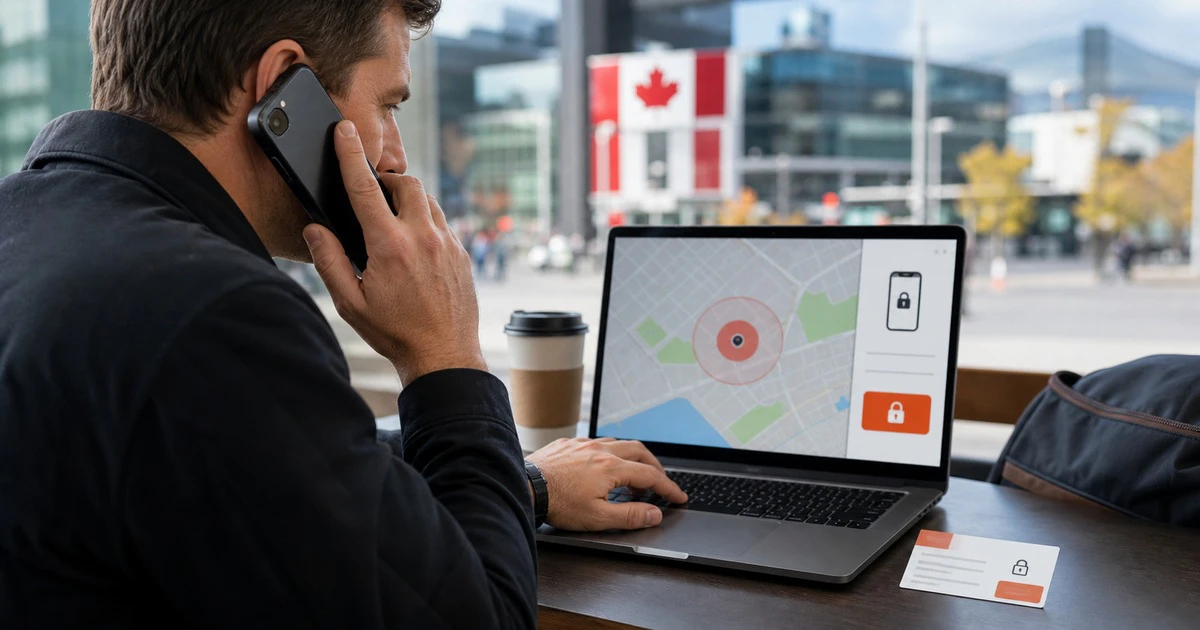
The first few minutes after a phone disappears matter more than the price of the phone.
Your device may hold email, banking apps, saved passwords, private photos and the phone number used to approve account changes. If it is simply under a seat, a loud ring can solve the problem. If it was stolen while unlocked, the same delay gives someone time to reach your digital life.
This Canadian checklist starts with the steps that protect both the device and the accounts behind it.
1. Use the official locator immediately
For an iPhone or iPad, go to iCloud.com/find or open Find My on another Apple device. Apple says you do not need a verification code to sign in at the web locator, which is important when the missing phone was your trusted device.
For Android, open Google Find Hub in a browser or use the Find Hub app on another Android device. It can show a current or recent location, play a sound, mark the phone as lost or erase it when the requirements are met.
Play a sound if the map suggests the phone is nearby and the situation is safe. A location point is an estimate, not permission to enter a home or confront someone. Apple advises contacting local law enforcement when a stolen device appears at an unfamiliar place.
2. Lock it before changing everything else
On Apple devices, turn on Lost Mode as quickly as possible. It locks the device with the passcode and helps prevent changes to the Apple Account. If the phone was stolen, Apple now recommends leaving personal contact details off the Lost Mode message because a thief may use them for a follow-up phishing attack.
On Android, use Mark as lost in Find Hub. Supported Android phones can also use Remote Lock if that feature was prepared with a verified phone number. Google says a pending remote lock will take effect when an offline device comes back online.
Do not remove a stolen iPhone from Find My. That removes Activation Lock and makes the device easier to erase and resell. A message claiming Apple found the phone and needs your passcode is a scam. Apple says it will not contact you to announce that a missing device was found.
3. Call your carrier and block the line
Contact your Canadian wireless provider and ask it to suspend service. This stops the SIM or eSIM from being used for calls, texts and many account-recovery attempts. Ask the carrier to record the device as lost or stolen and add its IMEI to the national blacklist.
The IMEI is the phone's network identifier. The RCMP says a participating carrier can use it to block the device from Canadian wireless networks through Device Check Canada. Without the IMEI, the phone cannot be added to that blacklist.
You may find the IMEI on the original box, purchase receipt, carrier account, Apple device list or Google Find Hub settings. Keep it outside the phone before anything goes wrong.
4. Protect the accounts that unlock other accounts
Start with email, because email resets many other passwords. Then protect the Apple or Google account, banking apps, password manager and social accounts.
Change passwords when there is evidence the thief knew the device passcode, the phone was taken while unlocked or account details have changed. Review signed-in devices, recovery phone numbers and recent security alerts. Remove sessions you do not recognize.
Do not rush into removing the missing phone from every device list. Apple distinguishes removing a device from the Apple Account list from removing it from Find My. Keep Find My and Activation Lock in place. For Android, remember that erasing the device ends location tracking in Find Hub.
If text messages were your only form of two-step verification, ask the carrier how to move the number safely to a replacement SIM. Use backup codes or another trusted device where available. Be alert for a SIM-swap attempt after the theft.
5. Save evidence and make a police report
Take screenshots of the map, device details, suspicious messages and account alerts. Record the serial number and IMEI. Report a theft to the police service where it happened. The RCMP specifically advises reporting a lost or stolen mobile phone to local police and contacting the carrier as soon as possible.
Give police the location information; do not try to recover the phone yourself. A dot on a map can be delayed or imprecise, and the device is not worth a dangerous confrontation.
If identity or financial fraud follows, notify the affected bank and report the incident to the Canadian Anti-Fraud Centre.
6. Erase only after recovery looks unlikely
Remote erase is the last step because it can reduce the chance of locating the device. Google says an erased Android phone will no longer be available in Find Hub. Apple says devices running recent system versions can still be located after an erase, but the erase itself cannot be undone.
Before erasing, make sure important photos and files were backed up. If the device is offline, the erase request should begin when it connects again.
Even after erasing an iPhone, leave it in Find My so Activation Lock remains. If an insurance or AppleCare theft claim is involved, follow the insurer's steps and do not remove protections early.
Prepare now, while the phone is still in your hand
- Turn on Find My or Find Hub and test the web sign-in.
- Use a strong six-digit or longer passcode, not a simple pattern.
- On iPhone, enable Stolen Device Protection.
- On supported Android phones, enable Theft Detection Lock, Offline Device Lock and Remote Lock.
- Write down the IMEI and serial number in a secure place.
- Set up account-recovery methods and two-step verification backup codes.
- Keep automatic backups current.
Mapletechie's security and device guides are built around actions that still work when stress makes every decision harder.
A lost phone is inconvenient. A lost phone that can reset your email and bank access is an emergency. Locate it, lock it, call the carrier and protect the accounts—in that order.