Passkeys vs Passwords: What You Should Use Now
Matthew Leo · Published August 2, 2026 · Guides
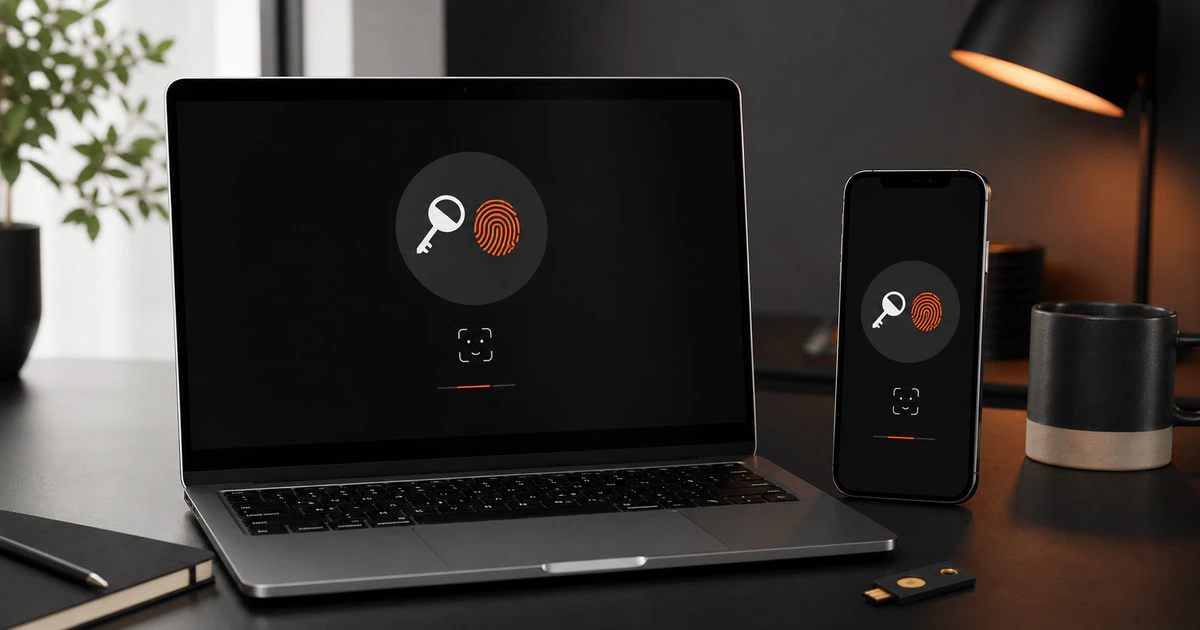
A passkey removes the part of signing in that people are worst at: creating and protecting a reusable secret.
Apple, Google and Microsoft now support passkeys across their major devices and browsers. Microsoft is also preparing to make passkeys the default authentication experience for many business users in September 2026.
That does not mean every password should disappear from your life today. It means passkeys are now mature enough to become your first choice when a trusted service offers them.
What is a passkey?
A password is a secret that you and a website both need to recognize. You type it into a page, and the service checks whether it matches information stored for your account.
A passkey uses a pair of mathematical keys instead.
The public key is stored by the website. The private key stays on your device or inside the credential manager that synchronizes it across your devices. When you sign in, the website sends a challenge that only the matching private key can answer.
Your phone or computer normally asks for the same face scan, fingerprint or PIN used to unlock the device. That local check allows the passkey to respond. Your biometric information is not sent to the website.
Passkeys versus passwords
| Question | Password | Passkey |
|---|---|---|
| What do you remember? | A reusable secret | Usually nothing new |
| What does the website store? | Password-derived verification data | A public key |
| Can a fake site steal it? | Yes, if you type it there | Normally no; it is tied to the real site |
| Can it be reused on another account? | People often reuse passwords | No; each passkey is unique |
| How do you sign in? | Type or autofill | Approve with device PIN or biometrics |
| Main weakness | Phishing, reuse and database attacks | Recovery and ecosystem confusion |
Why passkeys stop ordinary phishing
A fake banking page can copy a logo, colour scheme and sign-in form. If you type a password into it, the attacker receives that password.
A passkey is connected to the legitimate website address. A fake page using a lookalike domain cannot normally ask the passkey created for the real service to authenticate it.
This makes passkeys resistant to the most common phishing pattern. It also means a data breach at one service does not reveal a reusable secret that works somewhere else.
Passkeys do not stop every attack. Malware can steal an active session. A criminal can trick customer support, take control of an email account or abuse a weak recovery process. Security still depends on the whole account, not just the sign-in button.
Synced and device-bound passkeys
A synced passkey is stored in a credential manager such as Apple Passwords, Google Password Manager, Microsoft Password Manager or a compatible third-party password manager. Encryption allows it to appear on your other signed-in devices.
This is the easiest choice for most people. Lose one phone and the passkey may still be available on a laptop, tablet or replacement phone after account recovery.
A device-bound passkey stays on one physical device, such as a security key or managed work computer. It can offer tighter control but requires a backup plan. Lose the only device-bound passkey and you may need the service’s recovery process.
The real concern is recovery
Passwords are familiar. People know that a forgotten password usually leads to an email reset. Passkeys can feel more confusing because users are not always sure whether a credential is stored with Apple, Google, Microsoft, a browser or a separate password manager.
Before making a passkey your only sign-in method, answer four questions:
- Which credential manager stores it?
- Can you access that manager from another trusted device?
- Does the service provide recovery codes or a second passkey?
- Is the email or cloud account used for recovery strongly protected?
Do not discover those answers after losing your phone.
Should you use a passkey now?
Yes, for important accounts where the service provides a clear setup and recovery process.
Start with your primary email, Apple Account, Google Account, Microsoft account, password manager and any financial service that officially supports passkeys. These accounts can unlock many other parts of your digital life.
Keep a strong password and multi-factor authentication where passkeys are unavailable. Do not weaken an account simply to make it “passwordless.”
Microsoft says passkeys will become the default authentication experience for eligible Entra ID users beginning September 1, 2026. Microsoft-provided SMS and voice authentication for Entra ID is scheduled to end in February 2027. Those dates mainly affect workplaces and organizations using Microsoft’s identity system, but they show where the industry is moving.
A safe way to switch
- Update your phone, computer and browser.
- Protect the device with a strong PIN and biometrics where available.
- Turn on a passkey from the service’s official security settings, not a link in an email or text.
- Save it to the credential manager you already trust and understand.
- Add a second passkey on another device or physical security key when the service allows it.
- Store recovery codes somewhere separate and secure.
- Test signing in from another device before removing older methods.
- Review the service’s account-recovery information.
Never approve a passkey prompt you did not start. A passkey is phishing-resistant, but an unexpected sign-in request is still a warning.
Passkeys do not require blind trust in biometrics
A face or fingerprint is usually only the local method used to unlock the private key. The website does not receive a copy of your face or fingerprint.
If you do not want to use biometrics, devices normally allow their secure PIN or password instead. The important point is that the private key stays protected on the device or in the encrypted credential manager.
This distinction matters as Canada debates online identity and age checks. Mapletechie’s article on the proposed social-media age-verification system explains why proving one fact should not require giving every website your full identity.
Do not delete your password manager
Passkeys reduce passwords. They do not eliminate the need for a secure place to manage credentials.
Many sites still require passwords. Passkeys themselves may also be stored and synchronized by the same password manager. A good manager helps you see which account holds each credential and provides a recovery path across devices.
The goal is not to become loyal to a security slogan. The goal is to make account theft harder without making account recovery impossible.
https://x.com/FIDOAlliance/status/1978155113635098756
The simple answer
Use a passkey when a trusted service offers one and you understand where it will be stored. Keep a second recovery route. Protect the cloud account that synchronizes your credentials.
A strong, unique password with good multi-factor authentication remains safe when passkeys are unavailable. A passkey is usually better because it removes reuse and makes a fake website much less useful.
Passwords will not vanish at once. They will slowly become the backup method people notice only when something has gone wrong. Set up that backup before you need it.
Sources and further reading
- Microsoft Support: What passkeys are and why they matter
- Microsoft Entra passkey and SMS retirement timeline
- Google: Passkeys and the end of passwords
- X Help: How passkeys work
Tags: passkeys, passwords, cybersecurity, authentication