QR Codes Can Hide Convincing Phishing Sites
Matthew Leo · Published August 15, 2026 · Software & Apps
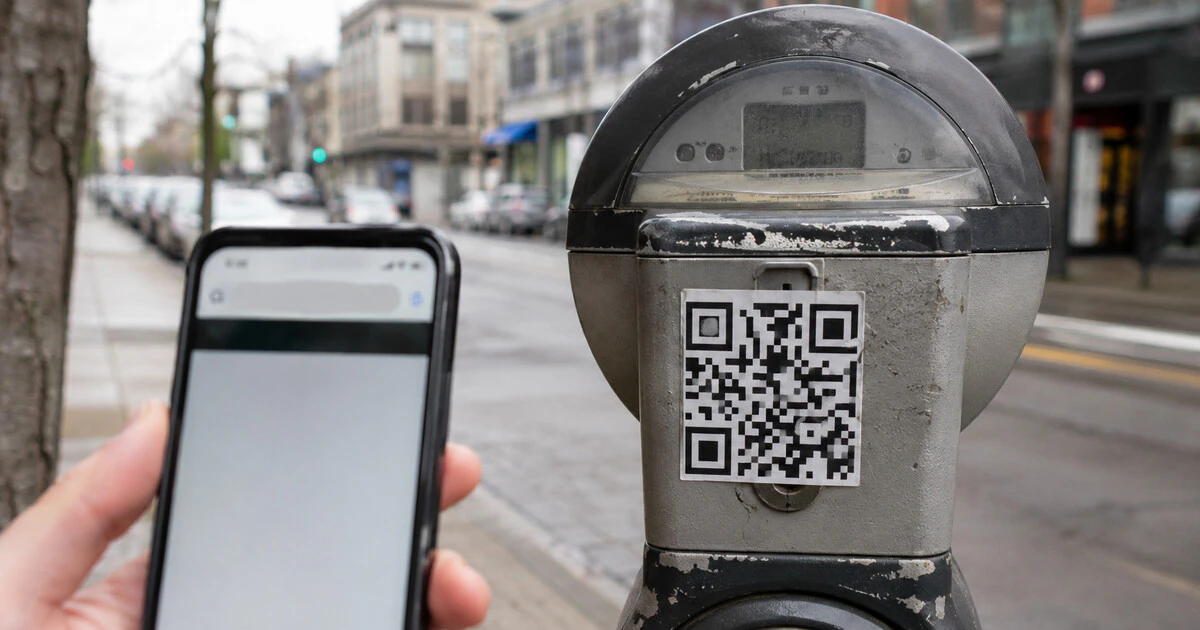
A QR code is a link you cannot read until your phone translates it, which is exactly why it works so well in a phishing scam.
The square pattern may open a restaurant menu or payment page. It can just as easily lead to a copied banking sign-in, a fake parking website, a malicious download or a cryptocurrency address controlled by a stranger.
The Canadian Anti-Fraud Centre says it has received reports of QR codes used to steal personal information and money. Treat the code as an obscured URL, not a seal of authenticity.
The code can hide several different traps
Email filters and human readers can normally inspect a written link. A QR image moves the decision to a phone, where the destination appears on a smaller screen and the victim may already be away from the original context.
| Where the code appears | What the scam may try to do |
|---|---|
| Parking meter or poster | Open a copied payment page through a sticker placed over the real code. |
| Email or text | Move a work or bank sign-in to the phone and bypass visible-link scrutiny. |
| Marketplace conversation | Steal online-banking credentials or disguise a request for money as a payment. |
| Unexpected package | Use curiosity about the sender to open a phishing site. |
| Cryptocurrency demand | Encode the scammer's wallet address so payment is difficult to reverse. |
The code itself does not prove malicious intent. The destination, request and surrounding circumstances determine the risk.
Preview the destination before opening it
Modern iPhone and Android camera apps normally show a preview of the destination. Stop at that preview long enough to inspect the domain.
- Read from the domain name outward, not from a familiar brand word elsewhere in the address.
- Look for misspellings, substituted letters and strange extra words.
- Be suspicious of URL shorteners when the code is asking for payment or a sign-in.
- Do not assume the padlock or “https” means the business behind the page is legitimate.
- Check a physical code for a sticker placed over the original sign or machine.
If a parking operator, bank, courier or government agency supposedly needs action, open its official application or type the known website yourself. An account notice that is real should usually appear there too.
The U.S. Federal Trade Commission similarly advises checking the URL for spoofing and contacting the organization through a known number or website when an unexpected message includes a QR code.
Sellers should never scan to receive a payment
A Canadian marketplace scam turns the normal payment direction backwards. A supposed buyer sends a QR code and says the seller must scan it to receive an e-Transfer or release funds.
The Canadian Anti-Fraud Centre warns that these pages may ask for online-banking credentials. In another variation, the code initiates a payment request rather than sending money to the seller.
Open your banking application independently and check the transaction there. A buyer does not need your bank password, multifactor code or card number to send you money. Autodeposit can reduce exposure to fake deposit links, although it does not make every marketplace transaction safe.
What to do after scanning
Scanning alone is not the same as surrendering an account. The response depends on what happened next.
You opened the page but entered nothing
Close it. Do not accept downloads, notification prompts, configuration profiles or calendar subscriptions. Clear the site's browser data if it attempted repeated prompts, and update the browser and operating system. No password change is normally needed solely because a page loaded, unless the device shows other signs of compromise.
You entered a password
Use the real service or its official app to change the password immediately. Sign out other sessions, review recent activity and enable multifactor authentication. Change any other account that reused the same password.
You entered banking or card information
Call the financial institution using the number on the card or official site. Ask it to secure the account, review transactions and replace credentials or the card where necessary. Do not return to a number supplied by the suspicious page.
You installed an app or profile
Disconnect from sensitive accounts while you remove the software. On iPhone, inspect Settings, General, VPN & Device Management. On Android, uninstall the app and review accessibility, device-administrator and notification-access privileges. Preserve evidence before a factory reset if money or identity theft is involved.
Report the code, not just the website
For a physical sticker, photograph the machine or sign and its location without scanning again. Notify the property owner, parking authority or business so it can remove the code. Report an abusive website to the hosting service or browser warning system where available.
Victims should contact local police and report the incident to the Canadian Anti-Fraud Centre. The CAFC also accepts reports from people who were targeted but did not lose money; those details can reveal a broader campaign.
QR codes are useful because they remove typing. That convenience should not remove judgment. Preview the destination, use the official route for sensitive actions and remember that a square pattern can conceal a very ordinary lie.
Tags: QR codes, phishing, scams, Canadian Anti-Fraud Centre, Mobile security