Wi-Fi Extender vs Mesh: Which One Should You Buy?
Matthew Leo · Published August 14, 2026 · Gadgets
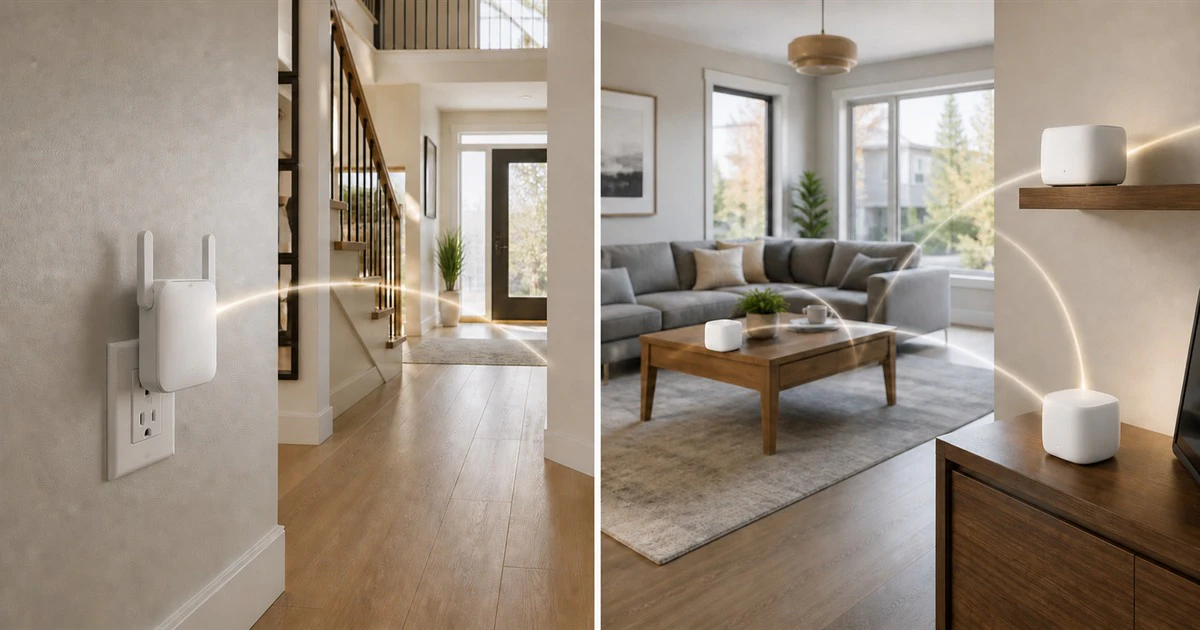
A Wi-Fi extender can fix one stubborn dead zone, but asking it to cover an entire difficult home often turns a cheap purchase into a second purchase.
Range extenders and mesh systems both spread Wi-Fi beyond one router. They solve different sizes of problem. An extender repeats an existing signal into a nearby weak area. A mesh system uses several coordinated nodes as one network across the home.
Choose by layout, roaming and workload, not by the largest speed printed on a box.
Fix the router position before buying anything
Start by moving the router into the open, above the floor and as close to the centre of the home as the internet connection allows. Avoid a cabinet, basement corner, large metal object and nearby microwave.
Run a speed test beside the router, then repeat it in the problem area. If service is slow even beside the router, an extender or mesh kit will not repair the internet connection coming into the home. Restart the modem and router, check the subscribed plan and contact the provider if wired or close-range performance remains poor.
If only one room is weak, map where the signal begins to drop. That boundary is more useful than placing new hardware inside the dead zone.
When a Wi-Fi extender is enough
An extender receives the router’s Wi-Fi and rebroadcasts it. It is a practical option when one small area needs coverage and the devices there do not require the home’s highest speed.
Good examples include a smart garage-door controller, a printer, a bedroom used for ordinary browsing or a camera at the edge of the current signal. An extender also costs less and can work with an existing router from another brand.
Placement decides whether it works. TP-Link and Netgear both recommend starting roughly halfway between the router and weak area, while the extender can still receive a strong router signal. An extender placed where the phone already shows no connection has nothing useful to repeat.
The tradeoff is wireless airtime. The device must communicate back to the router and forward traffic to clients. Netgear notes that a wireless extender connection can halve bandwidth in a typical repeating setup. Newer multi-band designs can reduce that penalty, but their advertised combined speed is not the speed one phone will receive.
When mesh is worth the higher cost
Mesh is a better fit for a larger or multi-storey home, several dead zones, many moving devices or a household that relies on video calls and streaming in different rooms.
The nodes are designed to operate as one network. They coordinate paths and help phones or laptops move from one point to another without the user choosing a second Wi-Fi name. That simpler roaming is often the biggest everyday advantage.
Mesh does not break physics. Each wireless node still needs a good connection to another node. Google’s placement guidance says to put a point between the covered area and the weak area, keep it in the open and move it closer when the mesh test reports a poor link.
Too many nodes can also create interference. Buy enough for the measured problem, not enough to place one in every room.
Wired backhaul changes the comparison
If the home has Ethernet, use it between access points or mesh nodes. A wired backhaul carries traffic between nodes without consuming the same wireless hop. Eero says hardwired nodes usually deliver the fastest connection available from the internet provider because they avoid wireless-hop throughput loss.
An extender with access-point mode can also become a strong option when connected by Ethernet. At that point it is no longer repeating a weak wireless link; it is creating Wi-Fi from a wired connection near the room that needs it.
Ethernet is not always practical in a finished rental or older home. It is still worth checking for existing wall jacks or asking whether one cable run costs less than a premium tri-band mesh kit.
Do not mix up mesh with marketing
Some products use “mesh extender” to describe an extender that supports one network name or a vendor’s roaming features. That may improve convenience without giving it the same capacity, management or expansion options as a full mesh system.
Check four details before buying:
- whether the nodes use a dedicated wireless band or Ethernet for backhaul;
- how many Ethernet ports each node includes;
- whether additional nodes must come from the same product family; and
- how long the manufacturer provides security updates.
Wi-Fi 6, 6E and 7 labels do not guarantee better coverage through concrete, brick or metal. A well-placed older access point can beat a badly placed new mesh node.
Security belongs in the buying decision
The Canadian Centre for Cyber Security recommends keeping router firmware current, enabling automatic updates when available, disabling remote management when it is not needed and using a separate guest network for visitors and internet-connected devices.
Apply those checks to every extender or mesh node. Replace products that no longer receive security fixes. Use WPA2 or WPA3, change default administrator credentials and download the setup app from the official store rather than a QR code on an untrusted listing.
The Mapletechie gadgets section emphasizes total ownership rather than one attractive specification. Router support is part of that total.
A simple decision rule
Buy an extender when there is one modest dead zone, the router works well elsewhere and the devices in that spot have light or stationary workloads. Place it where the original signal is still good.
Buy mesh when coverage fails across several rooms or floors, people move through the home during calls, or the network supports many busy devices. Use Ethernet backhaul where possible.
Buy neither until the router position and incoming internet service have been tested. The best network upgrade is the one aimed at the actual bottleneck.